WireGuard · iOS · macOS · Android
Own your tunnel.
No account, no logs, no telemetry. Your traffic goes from this device to a WireGuard server you control, and never through anything we operate. On Android, OwnTunnel can build that server for you inside your own cloud account in about two minutes; on iPhone and Mac it connects to the one you bring.
See how it works Who sees what?
Out now on iPhone, Mac and Android. Version 1.2.0 is live on the App Store for iPhone and Mac, and Android 1.1 is live on Google Play.
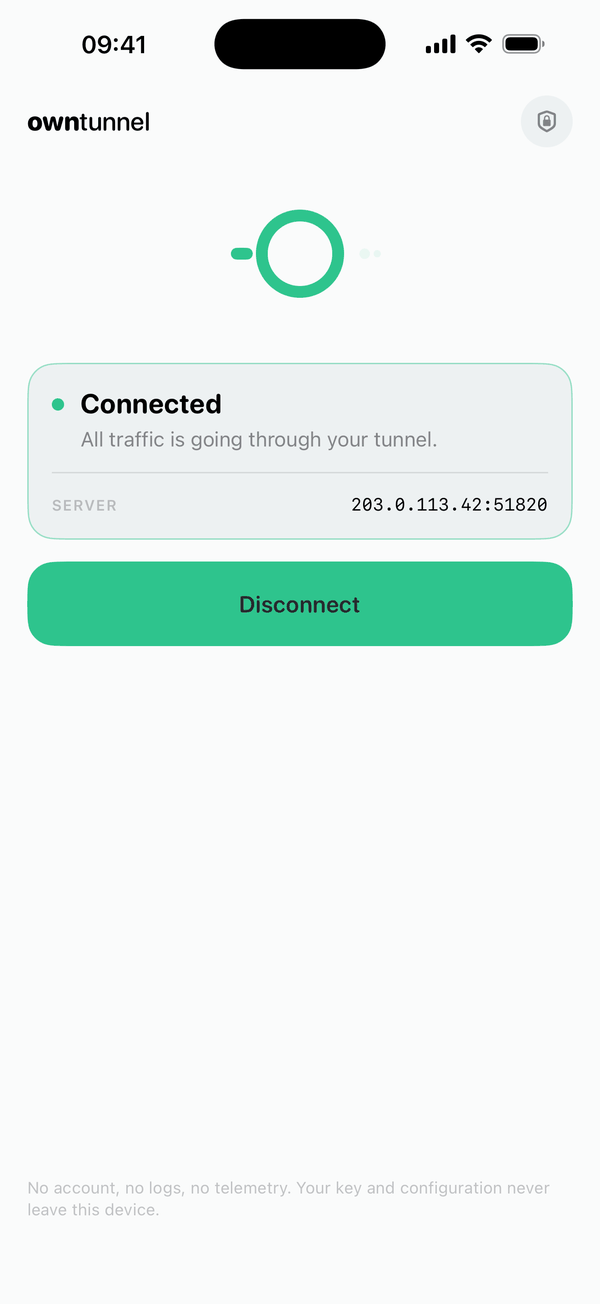
OwnTunnel is not a VPN service. It is the tool that puts you on a VPN of your own.
How it works
Two routes in, one per platform.
The difference is who makes the server. On iPhone and Mac, OwnTunnel connects to a server you already have — it creates nothing, asks for no account and holds no cloud credentials. On Android it can build the server for you, inside your own cloud account, in about ninety seconds.
On iPhone and Mac — bring your own server
-
Have a server
Any WireGuard server you run or control will do, whatever produced it: a machine you set up yourself, a WireGuard-compatible tool, or one the Android app built for you.
-
Import it
Paste its configuration as text, or scan its QR code on iPhone. It goes straight into the Keychain on this device, marked device-only, and nowhere else.
-
Connect
The tunnel comes up and your traffic leaves the network from your own server. That is the app’s only connection — it makes no request of its own to anybody.
On Android — let the app build it
-
Token
Create a read/write API token in your own cloud account and paste it in. It is kept in an encrypted file on this device and sent to your provider, to nobody else.
-
Location
Pick a country. Both key pairs are generated on the device, the server is created in your account, and WireGuard is installed on it.
-
Connect
The tunnel comes up and your traffic leaves the network from your own server. Already run one? Scan its QR code or paste its configuration instead.
Who sees what
Three paths, and one that does not exist.
Privacy claims are easier to check when you can see where the packets actually go. This is all of it.
-
Setting up — Android only
- Your device
- Your cloud provider’s API
Only the Android app does this. Your API token travels from it straight to the provider you chose; OwnTunnel is not in the path and never receives the token. On iPhone and Mac this row does not exist at all — those apps contact no provider, and no one else either.
-
While connected
- Your device
- Your WireGuard server
- The internet
One hop, on a machine rented in your name. The private key that opens it was generated on your device and stays there.
-
Never
- Your VPN traffic
- OwnTunnel infrastructure
There is no such hop to build one. We publish this website and forward two email addresses; we operate nothing your VPN traffic can reach.
- The tokenAndroid only. It goes from your device to your provider and nowhere else; we receive neither it nor your traffic. The iPhone and Mac apps never ask for one.
- Your providerStill processes its own records about you — the account, the billing, the machine’s infrastructure metadata. That relationship is between the two of you.
- DNSYour configuration names the resolver. Servers the Android app builds are set to Cloudflare’s
1.1.1.1, so on those your lookups reach Cloudflare rather than us. Edit theDNS =line to point anywhere you like. - What sites seeYour server’s IP address instead of your home one. That is the change a VPN actually makes.
- What it is notAnonymity. Anyone able to observe both ends of a connection can still line them up, and a server rented in your own name is not a disguise.
The long version, clause by clause, is in the Privacy Policy.
What is not here
There is no middle to look from.
Most commercial VPN services ask you to trust infrastructure somebody else operates. The good ones publish audits about what they promise not to keep. OwnTunnel removes the question instead: OwnTunnel operates no VPN traffic infrastructure, so there is nothing on our side to keep, hand over, sell or lose.
- No accountNo sign-in, no email address, no password, no phone number.
- No traffic logNot “we delete them”: your packets never touch a machine of ours, so there is no traffic log for us to hold. Your own server keeps its own system logs, and DNS goes to Cloudflare — both are written down in the Privacy Policy.
- No tracking SDKsNo analytics, advertising, attribution or crash-reporting SDKs. The app does link open-source technical components — WireGuard itself, a QR decoder, the platform UI toolkits — and none of them report to anyone.
- Keys stay putConfiguration and private key live in encrypted device storage — the Keychain marked device-only on Apple platforms, so they never sync to iCloud and stay out of backups; an encrypted file keyed to the device on Android.
- Open sourceMIT licensed, so the claims above are meant to be checkable line by line. The repository is not public yet; it will be.
- Said in the app tooThe same answers live inside OwnTunnel, on a screen called Your data — what it holds, where it keeps it, what reaches us (nothing), and the button that erases all of it.
Honest about cost
The app is free. The server is not.
A server costs money, and we would rather say so here than after you have tapped something. The bill is your cloud provider’s, addressed to you, in your own account — we never touch it and take no cut of it.
The figures below are for a server the Android app builds. On iPhone and Mac the app builds nothing, so there is nothing for it to cost: the server is already yours, and so is whatever you already pay for it.
- ServerRoughly €5.50 a month for a small Hetzner instance in Germany or Finland, and about €17.50 for the same job in Ashburn or Hillsboro. Provider prices, excluding VAT, and they change.
- TrafficThis is the part people miss. European locations include 22 TB a month. Ashburn and Hillsboro include only about 1.1 TB, and Singapore as little as 0.5 TB on the machine available there today; the provider bills per terabyte after that — which for a VPN you actually route everything through is a real limit, not a footnote. The Android wizard shows the included traffic beside each location, read live from your provider.
- First monthsHetzner currently advertises €20 of credit for new accounts. Eligibility, and how far it goes, are the provider’s call, not ours.
- Billed byYour cloud provider, directly to you. Deleting the app does not delete the server; delete it in your provider’s console when you are done.
- The appFree. No subscription, no in-app purchases, no ads, no paid tier.
Figures observed on 30 August 2026 and written down by hand. OwnTunnel does not fetch live prices, so check the current list at hetzner.com/cloud before you commit to anything.
Referral links, plainly: the iOS and macOS apps accept no provider credentials and contain no provider sign-up, referral, billing or purchasing links. If the website or a future Android build later offers a referral, it will be labelled beside the link and paired with an equivalent plain link that earns us nothing. Today we are not enrolled in any referral programme.
Platform status
Where it runs, and how far along each one is.
-
iOS 16+ and macOS 13+
On the App Store
One SwiftUI codebase on the official WireGuardKit, verified end to end on both an iPhone and a Mac. Here OwnTunnel is purely a client: it imports the configuration you bring — pasted, or scanned on iPhone — creates no servers, asks for no cloud credentials and makes no network request of its own. Version 1.2.0 is live on the App Store; one download covers both iPhone and Mac.

-
Android 8.0+ (API 26)
On Google Play
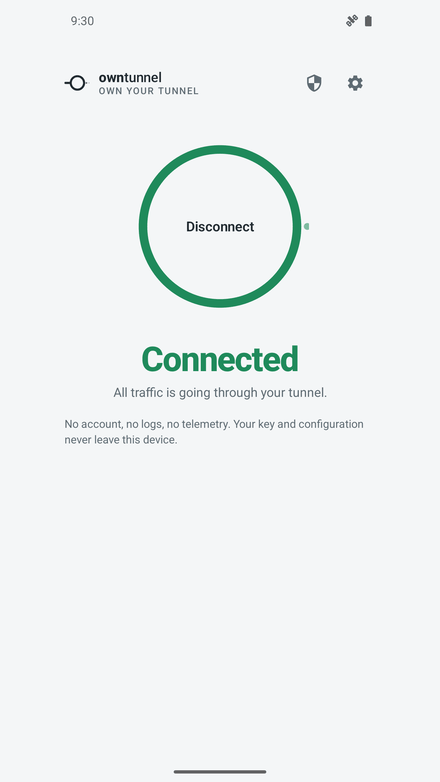
A full Kotlin build with the same zero-account design and the same wording — and the setup wizard, which builds the server for you inside your own cloud account. Version 1.1 passed review and is live on Google Play.

-
Windows and Linux
Import instead
No OwnTunnel app, and none promised for now. A WireGuard configuration — one the Android app built for you, or one you wrote yourself — imports straight into the official WireGuard client, which is a better program than anything we would write this year.
What to expect
A tunnel, not a magic trick.
A VPN changes where your traffic leaves the network. It is not anonymity, and it is no protection against an adversary who can watch both ends. What OwnTunnel gives you is a tunnel whose far end you own, instead of one that belongs to somebody selling you a promise.
WireGuard only, on purpose — no protocol menu, because the other entries would be there to look reassuring rather than to be used. On the Mac, configurations are pasted rather than scanned: macOS has no QR reader to offer.
Questions, or something broken? Support and FAQ.
Nothing to sign up for.
There is no waiting list and no email box to drop an address into — that would be the first account OwnTunnel ever asked you for. Install it from the App Store or Google Play and that is the whole sign-up.